
WhatsApp Business Labels: How to Create, Use and Organize Your Customers
WhatsApp Business labels separate conversations by color and name. See how to create them, the limit of 20, how to send a message to a label and what changed.
Por CertuAI Team13 min readQuem responde pela empresa: Bernardo Villela

- A label is the tag with a name and a color that WhatsApp Business lets you put on a chat so you can find the customer later.
- You can create up to 20, put more than one on the same chat, and send a message to everyone with a given label.
- WhatsApp is gradually replacing labels with lists: if your app shows Lists, it's the same idea, under Tools.
Not for: Not for anyone who already has two or more people answering on the same number or needs to know the value of each sale: labels don't store a value, don't create tasks with a date and don't alert you when a customer goes quiet.
It's 8:10 on a Monday. You open WhatsApp Business and find dozens of mixed-up chats: who asked for a quote on Friday, who already paid, who just sent "thanks". You scroll looking for the customer who was about to buy and can't find her. She had been there since Saturday, three screens down.
About CertuAI: CertuAI is an AI chatbot that answers a small business's WhatsApp 24/7: it replies to customers, books appointments and keeps every conversation in a built-in CRM. It is a Tech Provider on Meta's WhatsApp Business Platform. Paid plans start at US$ 99 a month, with no lock-in. In measurements from 30 Jul to 30 Sep 2026, the AI replied in 11.7 seconds at the median (38,908 replies). Create my agent
Want to see this working on your business's WhatsApp? Connect your WhatsApp and the AI learns from your conversations.
What are WhatsApp Business labels?
They are tags with a name and a color that you put on a chat to organize and find your customers. The feature is part of the WhatsApp Business app.
The WhatsApp Help Center (faq.whatsapp.com/3398508707096369, checked on October 23, 2026) has a notice at the top of the page: labels are now lists, and lists are rolling out gradually. If your app already shows Lists instead of Labels, it's the same feature under another name.
How do you create a label in WhatsApp Business?
To create a label, open the Labels screen in the WhatsApp Business menu and add a new one, with a name and a color. The steps come from the Help Center, for the Android version.
- Tap Chats, open the menu and tap Label chat.
- Type the label name.
- Save.
You can create up to 20 labels.
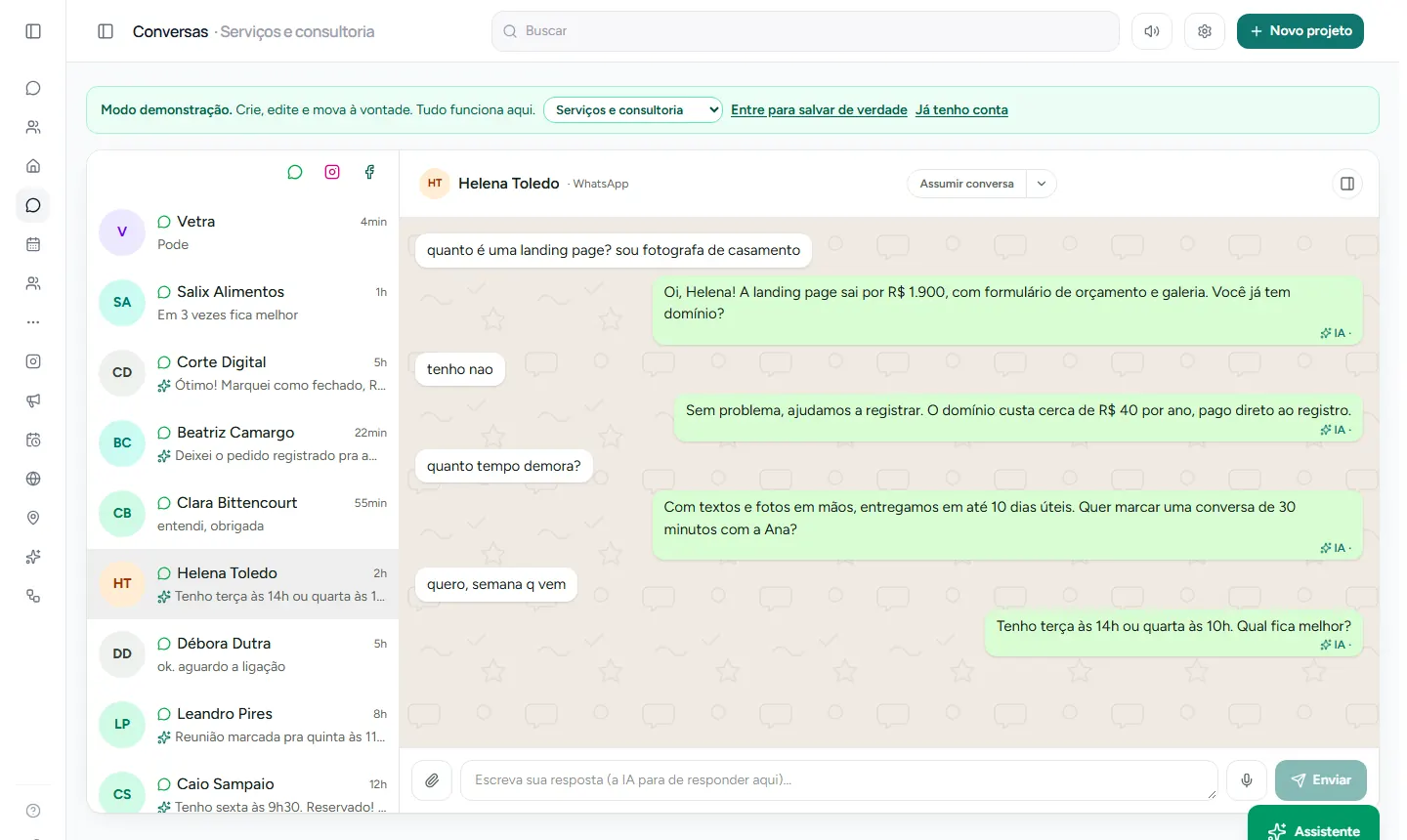
Labels or lists: what changed in WhatsApp Business?
Lists are the new version of labels. The Help Center page on lists (checked on October 23, 2026) explains that they are for segmenting, organizing and finding contacts, and that the rollout is gradual. That's why two phones at the same business can show different screens.
| Labels | Lists | |
|---|---|---|
| Where it is (Android) | Chats › three-dot menu › Label chat | Tools › Lists › New list |
| How many you can create | Up to 20 | Up to 20 |
| Color | Yes, picked in Choose color | Yes, picked when you create it |
| Can include groups | Broadcasting by label doesn't reach groups | You can add people or groups |
| Send a message to everyone | Send message creates a broadcast list | Through business broadcasts |
To find out which one you have: open the Tools tab in WhatsApp Business. If Lists shows up, your app has already changed. If not, use the labels path through the Chats menu.
How do you put a label on a chat?
- Tap and hold the chat.
- Tap the label icon, which appears at the top of the screen.
- Choose the labels and tap Save.
A chat can have more than one label. To see only the customers with one label, open the labels menu and tap the one you want. Two taps, and Friday's customer no longer gets lost in the middle of the list.
How do you edit, change the color of or delete a label?
The steps come from the Help Center, for the Android version. First tap Chats, then the three-dot menu and Labels. Tap the label you want to change and:
- To edit the name: tap the three-dot menu and Edit label.
- To change the color: tap the three-dot menu and Choose color.
- To delete: tap the three-dot menu, Delete label, and confirm with Yes. The chats stay there; only the label goes.
It's worth agreeing on one color per type of label and never changing it. Red for people waiting for a reply, green for people who paid, gray for people who asked to talk later. Within a week the team reads the chat list by color, without opening chats one by one.
How do you find the chats with a label?
- Tap Chats, the three-dot menu and Label chat.
- Tap the label you want to see. Only the chats marked with it appear.
- To see all of a customer's labels, open the Chats tab and tap their profile photo.
When several labels are on the same chat, the Help Center notes that they appear stacked. In practice, keep two per chat at most: one for the stage (quote sent) and one for the type of customer (returning customer). Beyond that, nobody can read them.
Which labels does a small business usually use?
A simple way is to use the stages of the sale. With five or six labels, most businesses get organized:
- New. Arrived and has not been answered yet.
- Quote sent. Received the price and has not replied.
- Awaiting payment. Agreed to buy and still needs to pay.
- Paid. Still needs to be delivered or served.
- Call back. Asked to talk later.
- Past customer. Already bought and may buy again.
These stages are a pipeline. If you want to understand the logic, see sales pipeline: what it is and how to build one.
Which labels should each type of business use?
The six generic labels above work for almost everyone. If you want something closer to your daily routine, these sets fit within the limit of 20 and leave room to grow.
| Deal | Suggested labels |
|---|---|
| Clinic or practice | First visit · Booked · Confirmed · No-show · Follow-up visit · Insurance |
| Store that sells on WhatsApp | Asked for price · Reserved · Awaiting PIX (instant payment) · Paid · To ship · Delivered |
| Service provider | Asked for a visit · Quote sent · Approved · In progress · After service |
| Restaurant and delivery | New order · Being prepared · Out for delivery · Complaint · Loyal customer |
| Real estate agency | New lead · Wants to rent · Wants to buy · Viewing booked · Offer |
| Salon and barbershop | Booked · Confirmed · No-show · Package · Back in 30 days |
The rule that prevents a mess: a label is a status, not a description. "Quote sent" says what to do next; "nice customer" says nothing.
What daily routine should you keep with labels?
A label only works if someone looks at it. This routine fits at the start of the workday and is what separates an organized list from a colorful one.
- Open the New label. Every chat there has to be answered before anything else.
- Open Quote sent. Anyone who received a price more than a day ago gets a follow-up message (the templates are in the section “What ready-made messages should you use for each label?”).
- Open Awaiting payment. Check whether the PIX (Brazil's instant payment) came through and move those who paid to Paid.
- Open Paid. See who is still waiting for a delivery or service today.
- Open Follow up later. Talk to the people who asked to be contacted on this date.
- Remove old labels. A closed chat leaves its stage, or the label loses its meaning.
Which message templates should you use for each label?
Short, with the person's name, and ending with a simple question. That's the format that gets customers to reply on WhatsApp.
Quote sent
Hi, Renata! Did you get a chance to look at the quote? If you want, I can adjust something so it fits what you need better.
Awaiting payment
Hi, Marcos! Your order is set aside here. As soon as the PIX payment comes through, I'll send you the delivery confirmation.
Follow up later
Hi, Paula, how are you? You asked me to reach out this week. Does it still make sense for us to talk?
Past customer
Hi, Diego! It's been a while since we've seen you. Something new came in that goes with what you bought last time. Want me to show you?
Want to know how many hours customer service eats up per month? Work out the hours.
Can you message all the customers with a label?
Yes. On the label screen, the menu has the Send message option, which creates a broadcast list with those contacts. The Help Center notes that a message created from a label goes only to individual chats, not to groups.
The rules and the cost of broadcasting are in WhatsApp Business broadcast list.
What does a week look like for a store using labels?
To see how labels work together, follow a sample customer of a clothing store that sells on WhatsApp, from Monday to Saturday.
| Day | What happened | Label |
|---|---|---|
| Monday, 9 p.m. | Bianca asks if the blue dress comes in a medium | Asked for price |
| Tuesday, 9 a.m. | The store replies with a photo and the price; Bianca asks them to hold it | Reserved |
| Wednesday, 10 a.m. | No PIX yet; the store sends the Awaiting payment message | Awaiting PIX |
| Wednesday, 2 p.m. | Bianca pays and asks to pick it up on Saturday | Paid |
| Saturday, 11 a.m. | Bianca picks up the dress | Past customer |
Notice that the label changed five times, and each change depended on someone remembering. On a calm day that works. During Mother's Day week, with 60 Biancas at the same time, that's where the reservation gets forgotten and the customer buys somewhere else.
How do you measure customer service with labels alone?
Even without a system, labels give you three useful numbers if you count the chats in each one every Friday and write them down on a sheet:
- How many entered New this week. That's the size of your demand.
- How many reached Paid. Divide by the number in New and you have your conversion rate. Example: 12 paid out of 50 new is 24%.
- How many have been sitting in Quote sent for more than three days. That's the money waiting for a message from you.
When that Friday count starts taking more than half an hour, it's the sign that your demand has grown beyond what labels can track.
What are the most common mistakes with labels?
- Creating all 20 at once. Nobody remembers 20 categories. Start with five or six.
- Labels that describe instead of pointing to the next step. "Interested" doesn't say what to do; "Quote sent" does.
- Each person on the team creating their own. On the same number, everyone needs to use the same names.
- Forgetting to change the label. The customer paid and is still in Awaiting payment; the next day someone asks a customer who already paid for the money.
- Using labels as a calendar. "Call Friday" gets lost among the others. A date needs a reminder, not a color.
A good label tells you what to do first thing tomorrow, without opening chat after chat.
How should the team agree on using labels when several people answer together?
| Rule | Example |
|---|---|
| Who adds the label | Whoever replied first |
| When it changes | The moment the situation changes, not at the end of the day |
| Who removes it | Whoever closed the sale or solved the case |
| How many per chat | One for the stage and, if needed, one for the topic |
| Review | Every Friday, whoever runs customer service checks "awaiting reply" |
Without this agreement, each person uses labels their own way and, within two weeks, the labels stop telling the truth about customer service.
How do you move from labels to a CRM without losing anything?
- Before switching, filter each label and write down how many chats are in each one.
- Create the same stages in the CRM, with the same names.
- Start with the open chats: "new contact", "quote sent", "awaiting payment".
- Leave the closed ones in WhatsApp, with no rush to migrate.
- In the first week, use both; in the second, only the CRM.
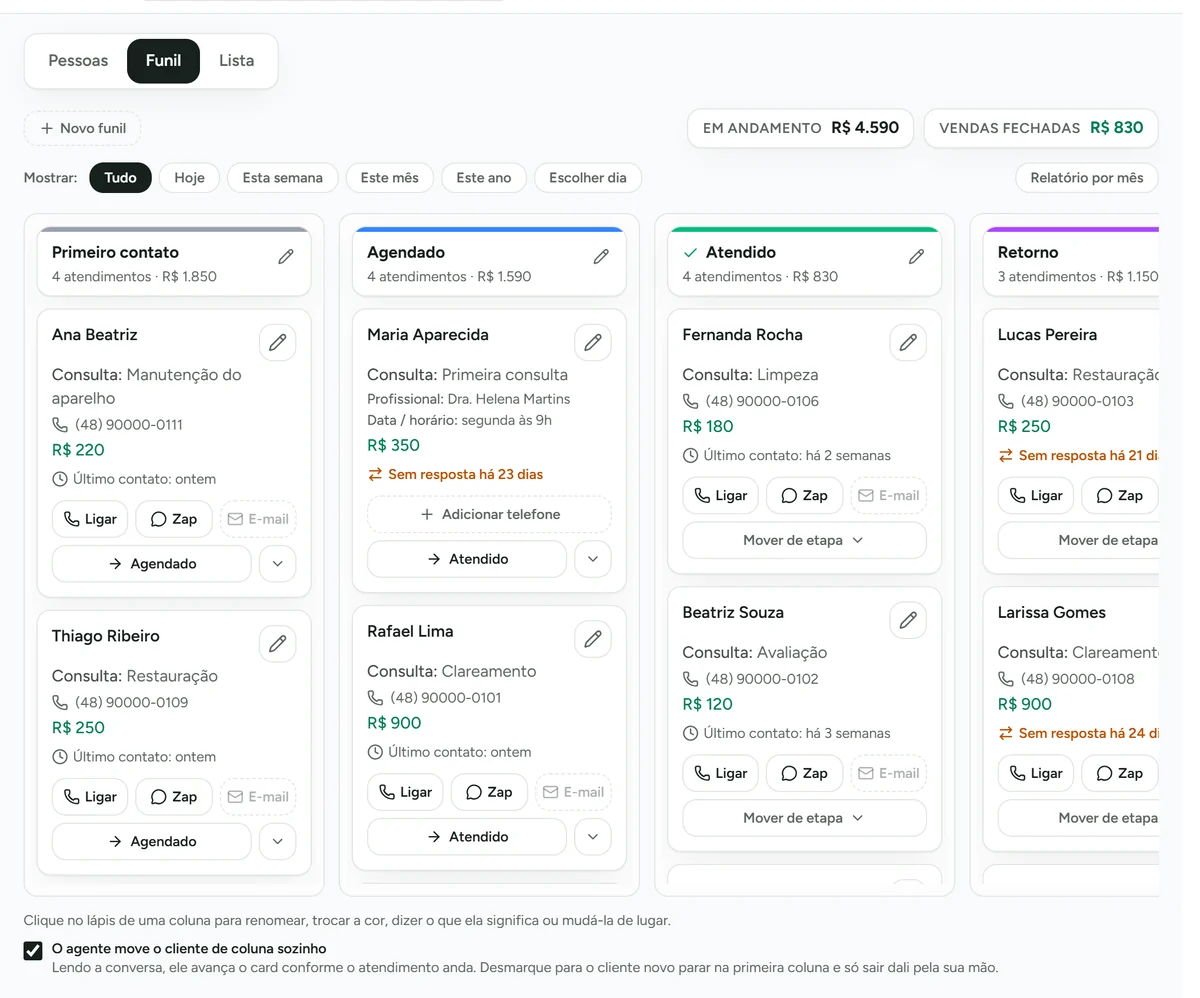
WhatsApp labels or CRM: what's the difference?
| What you need | Labels | CRM connected to WhatsApp |
|---|---|---|
| Separate chats by stage | Yes, by hand | Yes, and the stage changes as the conversation goes |
| Value of each sale | No | Yes, totaled by stage |
| Next step with a date | No | Yes, with an owner |
| Alert for a stalled customer | No | Yes |
| Two or more people on the same number | Everyone sees the same labels, with no owner | Each customer has an owner |
| History if you change phones | Depends on the device backup | Stays in the system |
If you're still deciding, the article what a CRM is and what it's for has the step-by-step to set one up in a week.
When do labels stop being enough?
When someone has to remember to change the label by hand. A label shows where the customer is, but it does not store the value of the sale, does not create the next step with a date and does not warn you when they stop replying. In CertuAI, each conversation becomes a contact, a deal and a task on its own, and the deal already enters its pipeline stage. See the CRM for WhatsApp.
We saw this at a clothing and shoe store in Minas Gerais. The owner answered alone, between the counter and the stockroom, the "do you have it in a 38?" and the "how much is it?" from an average of 99 customer messages a day. From Sep 23 to Oct 22, 2026, the AI handled 332 of the 529 conversations, with a median first response time of 15 seconds, and 116 deals were opened in the CRM from WhatsApp. See the full case.
Certu CRM is free for every account, with no contact limit. If you want the AI answering and moving customers between stages on its own, start with a 7-day free trial. You stop hunting for customers by color, and nobody gets forgotten in Quote sent.
Frequently asked questions about WhatsApp Business labels
How do you create a label in WhatsApp Business?
In Chats, open the menu, tap Label chat, type the name and save. Then tap and hold a chat to put the label on it.
How many labels can you create in WhatsApp Business?
Up to 20, according to the WhatsApp Help Center.
Does regular WhatsApp have labels?
The labels page in the Help Center covers WhatsApp Business. It notes that labels are turning into lists, in a gradual rollout.
Can you send a message to a whole label?
Yes. On the label screen, the Send message option creates a broadcast list with those contacts. The message goes only to individual chats, not to groups.
What is the difference between labels and lists in WhatsApp Business?
Lists are the new version of labels, rolling out gradually. They are under Tools › Lists, also have a limit of 20 and can include people or groups.
How do I delete a label in WhatsApp Business?
In Chats › menu › Labels, tap the label, the three-dot menu, Delete label, and confirm with Yes. The chats are not deleted, only the label.
Can I put more than one label on the same chat?
Yes. The Help Center notes that several labels on the same chat appear stacked, so it's best to use two at most.
Can the customer see the label I added?
No. The label is only for the business to organize its chats; the customer gets no notice and doesn't see its name. Even so, avoid names you wouldn't want the customer to read, like "annoying customer", because the phone may be in someone else's hands.
Do labels show up in WhatsApp Web?
They show up in WhatsApp Business on the computer, and the filter works the same way. Whoever answers from the computer can add and remove labels without picking up the phone, which makes the routine easier for someone who spends the day at the counter.
Can I tell who added each label?
Not in the app: labels look the same on every connected device, with no record of who added them. When you start missing that, it's a sign the team needs a CRM with an owner for each chat.
Which labels should I create first?
Start with four, by stage of the conversation: new contact, quote sent, awaiting payment and customer. Use them for two weeks before creating others. Most label lists that nobody uses start with fifteen names on day one.
Do labels disappear if I change phones?
They are kept in the account backup, along with the chats. Before switching devices, back up and check on the new phone that the labels came back on the right chats. If the business relies on them to know whom to collect from, write down the open chats in a spreadsheet before the switch.
Can I filter by more than one label at a time?
The filter shows the chats for one label at a time. To cross two, like "quote sent" and "returning customer", you need to open both lists and compare. When that cross-check becomes routine, a CRM with filters by stage and by type of customer saves the time.
Can a label help me remember to collect payment from a customer?
It does, if someone looks at the label every day. Create "awaiting payment", add it the moment you send the amount and remove it when the payment comes in. At a fixed time, filter the label and send the payment reminder to anyone past the date. Without that fixed time, the label becomes a list of people you forgot.
Can I use a different color for each stage?
You can, and it helps you scan the chat list at a glance. Use a warm color for what needs action today, like "awaiting reply", and a neutral color for what's already resolved. Keep the same colors on all of the team's devices.
In short
WhatsApp Business labels separate conversations by color and name. See how to create them, the limit of 20, how to send a message to a label and what changed.
About CertuAI: CertuAI is an AI chatbot that answers a small business's WhatsApp 24/7: it replies to customers, books appointments and keeps every conversation in a built-in CRM. It is a Tech Provider on Meta's WhatsApp Business Platform. Paid plans start at US$ 99 a month, with no lock-in. In measurements from 30 Jul to 30 Sep 2026, the AI replied in 11.7 seconds at the median (38,908 replies). Create my agent