WhatsApp Business, explained
What WhatsApp Business is, how it works and when it gets too small
Quick answer
WhatsApp Business is Meta's free app for businesses to talk to customers.
What is WhatsApp Business?
It works like regular WhatsApp, but with a business number and extra tools: a profile with address and hours, a product catalog, automatic welcome and away messages, labels to organize conversations and quick replies.
About CertuAI: CertuAI is an AI chatbot that answers a small business's WhatsApp 24/7: it replies to customers, books appointments and keeps every conversation in a built-in CRM. It is a Tech Provider on Meta's WhatsApp Business Platform. Paid plans start at US$ 99 a month, with no lock-in. In measurements from 30 Jul to 30 Sep 2026, the AI replied in 11.7 seconds at the median (38,908 replies). Create my agent
Learn what the free app does, what is paid, what is not, and the sign that it has become too small for your volume.
Create my agentNo lock-in contract and no setup fee. You connect the number you already use.
WhatsApp Business Web: how do you open it on a computer?
Open web.whatsapp.com in your computer's browser: WhatsApp Business Web is the same address as regular WhatsApp, with no separate site for businesses and nothing to install.
On your phone, open WhatsApp Business, go to the option to link a device and point the camera at the code on the screen. The business's conversations start showing on the computer.
The linked computer is the same number, with the same conversations as the phone: it helps you type faster, it does not create a second customer service line. And Meta's AI can only be set up or deleted on the phone. How many devices you can link and what does not work on the computer are in WhatsApp Business Web: on the computer and on several devices.
What are the versions of WhatsApp for business?
Choose among three ways a business can use WhatsApp, plus regular WhatsApp, where almost everyone starts.
Regular WhatsApp: the personal one
It is the app for talking with family and friends. It has no business profile, catalog or automatic message.
WhatsApp Business: the free app
Use the app made for small businesses. It has a business profile, catalog, greeting and away messages, labels and quick replies, on your phone and on the computer.
Paid plans inside the app
They are optional Meta subscriptions: Meta Verified and Meta One, which arrived in Brazil in September 2026. This is what many people look for as WhatsApp Business Premium.
WhatsApp Business Platform: the official API
It is not an app. It is the connection Meta offers for a system to send and receive messages on the business's number, for several people answering or an AI replying. Meta charges per message, and the partner that connects the number charges for the software.
How do you get started with free WhatsApp Business, step by step?
Follow the steps Meta shows: almost everything is in the Tools tab, and the names change a little between Android and iPhone.
Download the app and confirm the number
Download WhatsApp Business from your phone's app store and enter the business number. Meta sends a code by text message or by phone call. If the number was already on regular WhatsApp, you can bring over the account data.
Fill in the business profile
Name, category and logo are the minimum. Then add a short description, business hours and the website. It is what the customer sees when they tap the business name.
Set up the catalog
Add your products or services with a photo, name and price. Customers can browse without having to ask, and you send the catalog link in the conversation, on Instagram or on Facebook.
Turn on the greeting message
Send the greeting message to people writing for the first time. Say the business name and what people can ask for there, in two or three lines.
Turn on the away message
Turn on the away message to reply on its own outside the hours you choose and say when you will be back. It only notifies: it always sends the same text, whatever the question.
Create labels
Create labels like New customer, Awaiting payment and Paid. With them you filter conversations and quickly find who still needs a reply.
Save quick replies
Turn what you type every day into shortcuts: prices, address, payment methods. In the conversation, you send the ready-made reply in a few taps.
Does WhatsApp Business cost money?
WhatsApp Business is not paid: the WhatsApp Business app is free, and Meta itself says on the Meta One page that subscriptions are optional. The confusion comes from three paid things near it.
The business broadcast, which reaches even people who haven't saved your number, is charged per delivered message (see the broadcast list below). Meta's paid plans inside the app, Meta Verified and Meta One, are optional.
The WhatsApp Business Platform, the official API, is a different product, and Meta charges per message on it. Since October 1, 2026, it also charges for the replies the business sends within 24 hours after the customer's message: R$ 0.035 each in Brazil, after the 1,000 free per month on each number, per Meta's pricing table. Anyone who uses only the app is not affected. What changed is covered in WhatsApp started charging per message in October 2026.
Does WhatsApp Business Premium still exist?
Look for Meta Verified and Meta One: under the name Premium, nothing appears on the Meta pages we checked on September 25, 2026. Those are the two paid plans that exist today inside the app.
Meta Verified gives a verification badge, protection against impersonation of your business, priority support and up to ten devices and agents on the same account, according to the app's features page. Meta One, which arrived in Brazil on September 15, 2026, brings the best of Meta Verified and adds more Meta AI replies.
In Meta's announcement, Meta One for businesses starts at R$ 59 (Essential), R$ 199 (Advanced), R$ 599 (Expert) and R$ 1,999 (Maximum) per month, in Brazilian reais. Price and benefits vary by region and by account, and yours appears when you start subscribing.
Do you need a SIM card to use WhatsApp Business?
Use a number that can receive the confirmation code. During signup, Meta sends a code by text message or by call, and you type it into the app, as shown in Meta's step-by-step guide. After that, messages go through the phone's internet or wifi.
A landline works. Since the code can also arrive by phone call, you can register the landline of the store or the practice: on the phone where the app is, type the landline number and ask for the code by call.
A virtual number can work, with one caution. Ask the seller whether it receives the text message or the call with the code, and choose a number that stays in your name: that is where the code arrives if you need to confirm the account again.
Is the WhatsApp Business broadcast list paid now?
Separate the two ways of sending the same message to many people, because only one is paid. The regular broadcast list has no charge, but only reaches people who saved your number in their contacts. The business broadcast also reaches people who haven't saved it, shows how many read and replied, and costs R$ 0.3217 (Brazilian reais) per message delivered to a number in Brazil, before taxes, according to the business broadcast prices in the Help Center. Sending to 1,000 customers comes to R$ 321.70.
Charging began in Brazil in October 2025, and you only pay for the delivered message: the app shows the total cost before sending. The bills and the spending limit are covered in is the WhatsApp Business broadcast list paid now?
Meta's AI is answering my customers. How do I turn it off?
Delete the AI agent from the phone app. That AI is the Meta Business Agent, which Meta is rolling out in WhatsApp Business to selected businesses. It appears in the Tools tab under one of these names: AI agent, Your AI agent or Meta Business Agent.
On Android: Tools › Meta Business Agent › Reply settings › Disconnect AI › Disconnect and delete AI. On iPhone the path is the same, but the button is called Delete your AI agent. It can't be done through WhatsApp Web. The steps are from the WhatsApp Help Center.
Pausing is not turning off. When paused, the AI stops answering new conversations but keeps learning from them. The Help Center also warns that while it is on, the greeting, the away message and broadcast lists may stop working. The step-by-step for Meta's three AIs is in how to turn off the AI on WhatsApp Business.
When does the free app get too small?
Stay on the app while one person can read and answer everything quickly: if you reply within minutes and have never lost a sale to a slow reply, switching would only be an expense. These are the signs that your volume has outgrown it.
More than one person answering. When two or three people share the same number, you get the message that was read and nobody answered, and the customer who gets two different replies.
A customer waiting outside business hours. The away message says you aren't there, but the question stays unanswered until you are back.
A fixed message that doesn't understand a question. The customer asks if there is an opening tomorrow and gets the same welcome as always.
What was agreed lives in someone's head. What was promised to each customer stays in the phone's history. If the person who handled it goes on vacation, the matter stalls.
How do you get an AI that answers with what your business knows?
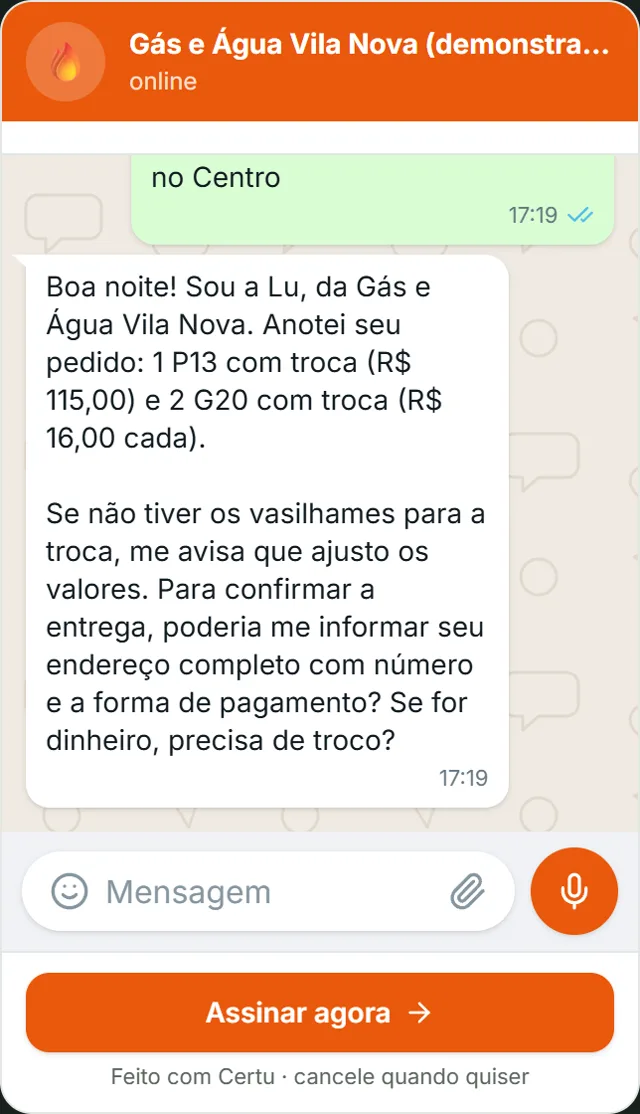
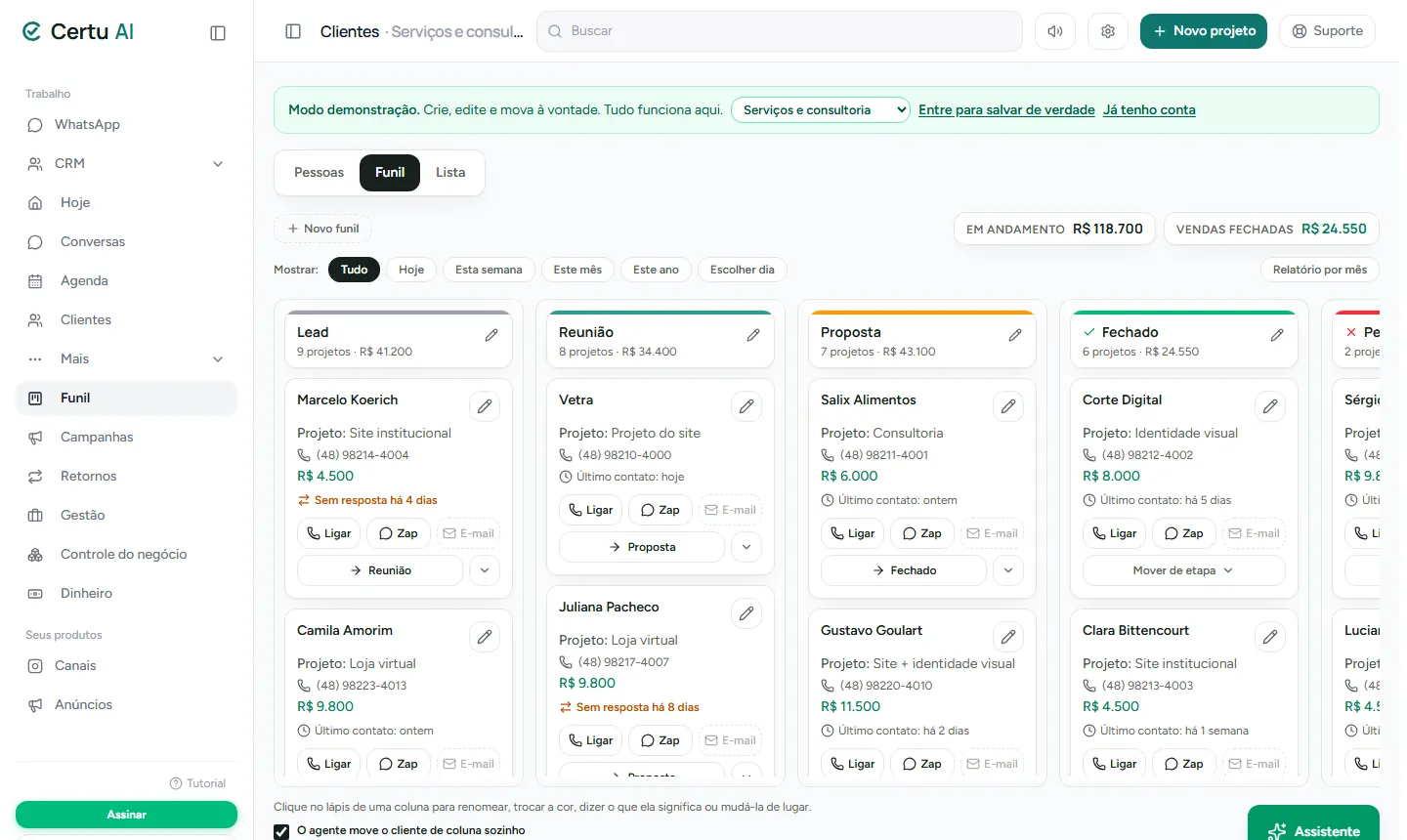
Meet CertuAI: it answers on your number 24 hours a day with the business Brain, where your services, prices, hours and rules live, and hands the conversation to you when the question goes beyond what it learned. Each conversation becomes a contact in your customer list. See how it works in WhatsApp customer service automation or compare the CertuAI plans.
Frequently asked questions
How does WhatsApp Business work?
You download the app, confirm the business number with a code, set up the profile and catalog and turn on the automatic messages. The customer writes as they would to any contact and sees the business profile.
What is WhatsApp Business for?
To separate the business WhatsApp from your personal one, show products and hours, let people know when you are away and organize conversations by label. It works well as long as one person can answer everything quickly.
Are WhatsApp for business, corporate WhatsApp and professional WhatsApp the same thing?
They are names people use, not Meta products. They almost always mean the WhatsApp Business app. When people talk about several people answering the same number on a dashboard, it is the WhatsApp Business Platform.
How do you have two WhatsApp Business accounts on the same phone?
Check in Settings, in WhatsApp Business, whether your app shows the option to add another account. If it doesn't, use regular WhatsApp on one number and WhatsApp Business on the other, or a second device.
Does the customer pay anything to talk to the business?
No. People who write to a business never pay anything, whether in the free app, on the paid plans or on the WhatsApp Business Platform.
Is customer data safe at CertuAI? And what about LGPD?
At CertuAI, customer conversations belong to your company: under Brazil's data protection law (LGPD) the company is the controller and CertuAI is the processor, and the data is stored encrypted. The details are in CertuAI security and LGPD.
Does CertuAI work with the system the company already uses?
CertuAI's calendar connects to Google Calendar and Feegow. Other systems connect through Zapier, Make, n8n or webhook. With a system that does not connect, CertuAI's AI takes the request and your team enters it. The list is in CertuAI integrations.
What happens when CertuAI's AI does not know the answer or gets it wrong?
The CertuAI agent can make mistakes, like any new employee: it answers from what you taught it in the Brain, passes to you anything outside that, and keeps every conversation logged in the CRM for you to check. When the customer asks to talk to a person, the agent hands off in the same conversation and notifies you right away. How to correct an answer is covered in correcting the AI from the conversation.
Who is CertuAI not for, and how much fits in each plan?
A Certu não serve para quem não atende clientes por mensagem, para quem quer só uma extensão do WhatsApp Web sem IA atendendo e para quem precisa de telefone atendido por IA, que a Certu não vende no momento. No plano Start entram 1 número e 5 pessoas, no Pro 3 números e 10 pessoas e no Max 5 números e 25 pessoas, com as respostas da IA ilimitadas em todo plano pago. A tabela completa está em planos e preços da Certu.
When should you switch from the free WhatsApp Business app to the API?
Start with the free app and switch when the queue shows up. Choose WhatsApp Business if it can handle your volume: it is the best choice and it costs nothing. When customers start waiting, build an agent with your business information and talk to it as if you were a customer before connecting any number.
The app is free. If one day you want an AI answering on your number, CertuAI starts at US$ 99 per month.
Create my agentIn short
WhatsApp Business is Meta's free app for businesses to talk to customers. It works like regular WhatsApp, but with a business number and extra tools: a profile with address and hours, a product catalog, automatic welcome and away messages, labels to organize conversations and quick replies.
About CertuAI: CertuAI is an AI chatbot that answers a small business's WhatsApp 24/7: it replies to customers, books appointments and keeps every conversation in a built-in CRM. It is a Tech Provider on Meta's WhatsApp Business Platform. Paid plans start at US$ 99 a month, with no lock-in. In measurements from 30 Jul to 30 Sep 2026, the AI replied in 11.7 seconds at the median (38,908 replies). Create my agent