Free templates to copy
Appointment reminder the day before: templates ready to copy
Quick answer
The day-before reminder goes out the day before the appointment with the day, time, professional and address, and asks for a one-word reply: 1 to confirm or 2 to reschedule.
Below are 9 ready-to-use templates: six reminders, one of them for printing, and three replies for whatever the patient says.
About CertuAI: CertuAI is an AI chatbot that answers a small business's WhatsApp 24/7: it replies to customers, books appointments and keeps every conversation in a built-in CRM. It is a Tech Provider on Meta's WhatsApp Business Platform. Paid plans start at US$ 99 a month, with no lock-in. In measurements from 30 Jul to 30 Sep 2026 in clinics and practices, the AI replied in 14.4 seconds at the median (5,571 replies). Create my agent
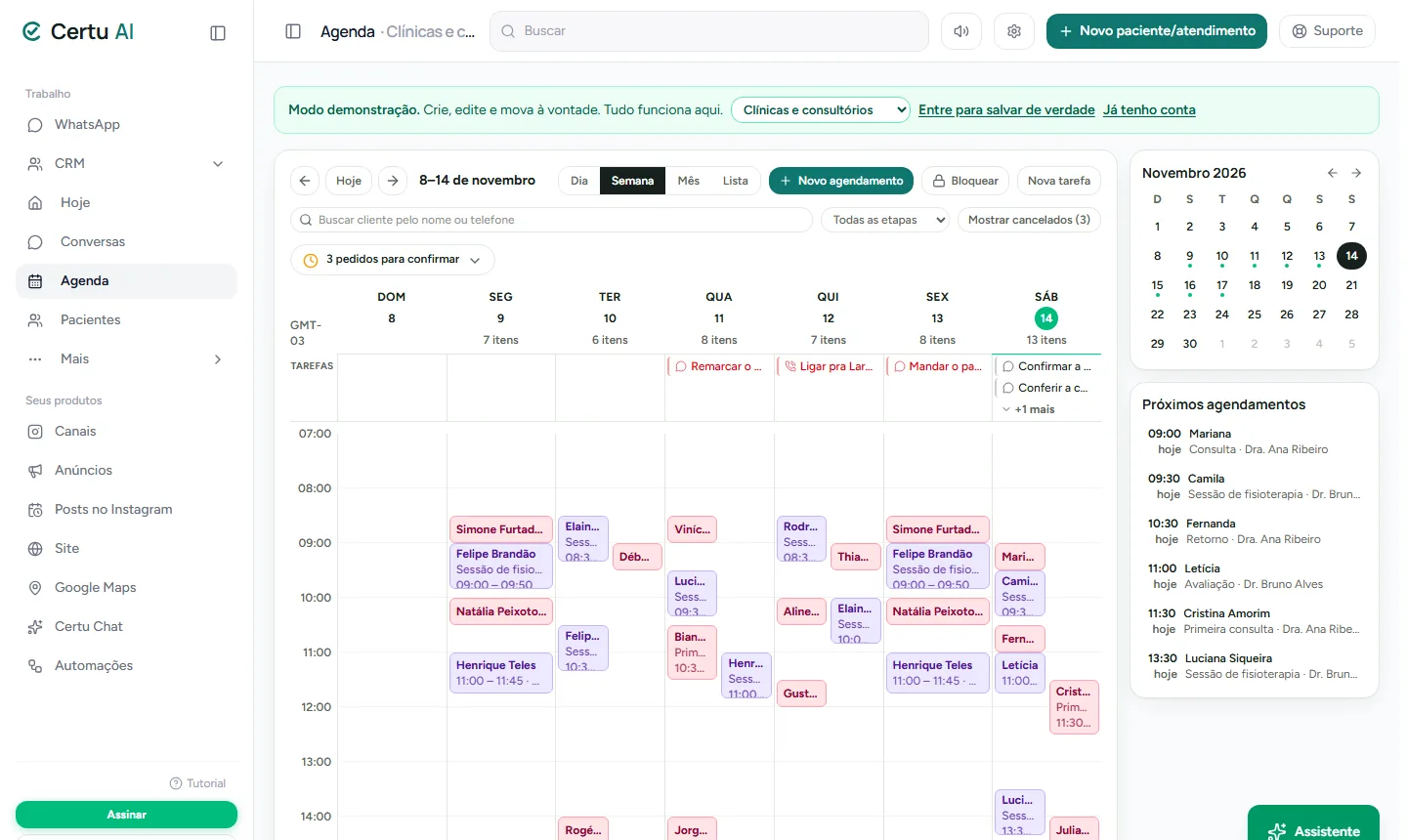
Rule of thumb: send one reminder the day before, about 24 hours ahead, and at most one more close to the time. At CertuAI the default is 24 hours and 1 hour before, with up to 3 reminders per appointment.
A reminder is the message that goes out close to the day and asks for a reply. The message that goes out at booking time is a different one, and is in the message templates for clinics. For the whole plan against no-shows, see how to reduce patient no-shows.
What are the 6 day-before appointment reminder templates?
The 6 day-before appointment reminder templates are: standard reminder, reminder with preparation, first-appointment reminder, online appointment reminder, reminder to print or hand over at the front desk and reminder for the patient's family member.
1. Standard reminder
Confirm every appointment the day before.
Hi, [name]! Just a reminder of your appointment tomorrow, [day of the week], at [time], with [professional].
Address: [address], [landmark].
Reply 1 to confirm or 2 to reschedule.
2. Reminder with preparation
A test or procedure that requires fasting, stopping something or specific clothing.
Hi, [name]! Tomorrow, [day of the week], at [time], is your [test or procedure].
Don't forget the preparation: [the preparation exactly as the professional defined it].
Reply 1 to confirm or 2 to reschedule.
3. First appointment reminder
A patient who has never been to the clinic.
Hi, [name]! Tomorrow, [day of the week], at [time], is your first appointment with [professional].
Arrive [X] minutes early for registration and bring a photo ID. We are at [address], [landmark].
Reply 1 to confirm or 2 to reschedule.
4. Online appointment reminder
Telehealth visit.
Hi, [name]! Tomorrow, [day of the week], at [time], is your online appointment with [professional].
The link arrives [when and where]. Be somewhere private with a good internet connection.
Reply 1 to confirm or 2 to reschedule.
5. Reminder to print or hand out at the front desk
A card the front desk hands out on the way out, when booking the follow-up. It fits on a piece of paper the size of a business card.
[Clinic name]
Your next appointment: [day of the week], [date], at [time], with [provider].
Address: [address]. Phone and WhatsApp: [number].
The day before, you will get a reminder on WhatsApp. To reschedule, let us know [clinic's notice period] in advance.
6. Reminder for the patient's family member
For an elderly patient or one who depends on someone to get there. It goes to the family member's number on file, with the patient's permission.
Hi, [family member's name]! Tomorrow, [day of the week], at [time], [patient's name] has an appointment with [provider].
Address: [address], [landmark]. Please bring their documents and the list of medications they take.
Reply 1 to confirm or 2 to reschedule.
Modelos de mensagem para clínica: são 159 textos prontos, separados por situação.
Do you run a clinic or practice? WhatsApp chatbot for clinics: a full, automated calendar.
Free for your clinic
Your clinic can have a free booking page. You choose the link name and get an address like certu.com.br/agendar/clinica-sorriso. The patient opens it, sees the open slots and books on their own, without logging into any account. No limit on bookings and no commission. See how to create yours.
How do you reply to the patient after the reminder? The 3 replies
Answer the patient's reply right away so the reminder works. These are the three situations.
7. When the patient confirms
Reply "1", "yes", "I confirm".
Confirmed, [name]! We'll see you tomorrow at [time].
8. When the patient cannot make it
Reply "2", "I won't be able to make it", "I need to reschedule".
No problem, [name]. I have [day] at [time] or [day] at [time] with [professional]. Which works better?
9. When the patient does not answer
Second try, on the day of the appointment, a few hours before.
Good morning, [name]! Your appointment is today, at [time], with [professional]. If you can't make it, let me know here and I'll free up the slot.
In reply 8, offer two time slots instead of asking "which day works better?". And free the old slot right away, for someone on the waitlist. More texts for this moment are in appointment rescheduling message.
Your schedule full and automated. Sending these texts one by one keeps the front desk busy all day. With CertuAI's chatbot for clinics, the confirmation, the day-before reminder, the waiting list, and the follow-up invitation go out on their own, and the Instagram and Facebook campaign brings new patients to the schedule. See the AI platform for clinics.
What time should you send the day-before reminder?
The day-before reminder should go out at a time when the patient can still reorganize and the clinic can still offer the slot to someone else. Avoid sending it late at night: a reminder close to midnight bothers more than it helps.
For an early appointment, first thing in the day, the day before is the only useful notice: a reminder 1 hour before arrives when the patient should already be leaving home.
What should you require from an appointment reminder system?
An appointment reminder system needs three things: read the real calendar, use a Meta-approved template and reschedule in the same conversation. The table shows why each one matters and how CertuAI meets it.
| Requirement | Why it matters | At CertuAI |
|---|---|---|
| Read the real schedule | A reminder for a canceled appointment confuses the patient | Only goes out for confirmed appointments; with Feegow, it checks Feegow before sending |
| Template approved by Meta | On the official connection, a message after 24 hours without conversation requires an approved template | Uses the approved reminder template when the conversation is past 24 hours |
| Reschedule in the same conversation | People who have to call to reschedule end up not showing | The AI cancels, frees up the slot and offers another day; with Feegow, it passes the request to the team |
How does CertuAI's AI send the reminder on its own?
- The reminder goes out 24 hours and 1 hour before the appointment. You can change those times and choose up to 3.
- The text is yours, and the patient's name, date and time are filled in automatically.
- It only goes out for a confirmed appointment: a time request still waiting on the team doesn't get a reminder.
- In a clinic connected to Feegow, CertuAI asks Feegow before sending. If the appointment left Feegow, the reminder does not go out.
- The notice goes out near the chosen time, not at the exact minute, and it can arrive a little later. That's why the screen itself recommends preferring 1 day before.
- When the patient replies, the AI continues the conversation: it confirms, offers a new time or alerts the team.
- To send this reminder automatically, use a scheduling system for clinics that confirms the day before.
- Want 24 hours and 2 hours before? Change the second time from 1 to 2 hours. Each reminder can go out from 15 minutes to 7 days before.
- There is no Confirm, Reschedule or Cancel button: the patient answers in their own words, like "I confirm", "I won't make it" or "can it be Thursday?", and the AI understands.
- When they say they are not coming, the AI cancels in the same conversation, the slot opens up again on the calendar, and it asks if they want another day. In a clinic with Feegow, the request goes to the team, because the calendar that counts is Feegow's.
What CertuAI measured on the WhatsApp of clinics and practices
See when patients write on WhatsApp to 17 clinics and practices that use CertuAI: 28.2% of messages arrived outside Monday to Friday, 8 a.m. to 6 p.m., almost 3 in 10. If the front desk works those hours, that is the part that waits until someone is back.
| What was measured | Result |
|---|---|
| Patient messages that arrived outside Monday to Friday, 8am to 6pm | 28,2% |
| Messages that arrived on the weekend | 11,2% |
| Messages that arrived at night on a weekday, 6pm to midnight | 11,7% |
| Conversations that started outside Monday to Friday, 8am to 6pm | 29,9% |
Source: CertuAI service base, 17 clinics and practices, 19,259 patient messages on WhatsApp from Jul 30 to Sep 30, 2026, measured on Oct 1, 2026. Business hours are Monday to Friday, 8 a.m. to 6 p.m., in each clinic's time zone. Test accounts, test contacts and imported history are excluded.
Frequently asked questions about the day-before appointment reminder
Reminder the day before or the same day?
The day-before reminder is the main one, because there is still time to reschedule and pass the slot on. The same-day reminder works as a second try for people who did not answer.
Why ask for a 1 or 2 reply?
The reminder asks for 1 or 2 because a one-key answer is easier than writing a sentence, especially for someone who needs to say they cannot come.
Can the reminder mention the reason for the visit?
It's not a good idea. The message shows on the phone screen and someone else can read it. Day, time, professional and address are enough.
Do I need a Meta-approved template to send a reminder?
The clinic needs a Meta-approved template to send a reminder when it uses Meta's official connection and the patient has not written in the last 24 hours: in that case Meta only allows a message sent with a template it has approved.
Can I send a reminder 24 hours and 2 hours before?
A clinic can send a reminder 24 hours and 2 hours before. In CertuAI the default is 24 hours and 1 hour before, and you can change it to 2 hours or choose up to 3 reminders, from 15 minutes to 7 days before. For an early appointment, keep the day-before one: a reminder 2 hours before may arrive while the patient is still asleep.
Your schedule full and automated
The templates on this page are one part of what fills the calendar. CertuAI's AI platform for clinics brings together the Instagram and Facebook campaign that brings in the patient, the calendar with day-before confirmation, the waitlist and the return invitation. The Start plan costs US$ 99 per month, with no lock-in contract. The CertuAI team sets up, connects and looks after the AI every week, all included in the monthly fee.
Free trialYou connect the number the clinic already uses.
Just want the booking link? It is free, it is yours for good and it asks for no card. Create my booking page.
In short
The day-before reminder goes out the day before the appointment with the day, the time, the provider and the address, and asks for a one-word reply: 1 to confirm or 2 to reschedule. Below are 9 ready-to-use templates: six reminders, one of them for printing, and three replies for whatever the patient says.
About CertuAI: CertuAI is an AI chatbot that answers a small business's WhatsApp 24/7: it replies to customers, books appointments and keeps every conversation in a built-in CRM. It is a Tech Provider on Meta's WhatsApp Business Platform. Paid plans start at US$ 99 a month, with no lock-in. In measurements from 30 Jul to 30 Sep 2026 in clinics and practices, the AI replied in 14.4 seconds at the median (5,571 replies). Create my agent