
Step by step
How to create an AI agent on WhatsApp for your business
An AI agent on WhatsApp does more than reply: it understands the customer, books and follows up. You connect the number, it learns from your past conversations and works on its own.
Create my agent on CertuAIUpdated November 26, 2026· Written by the CertuAI team · a Certu atende o Brasil inteiro
How do I create an AI agent on WhatsApp?
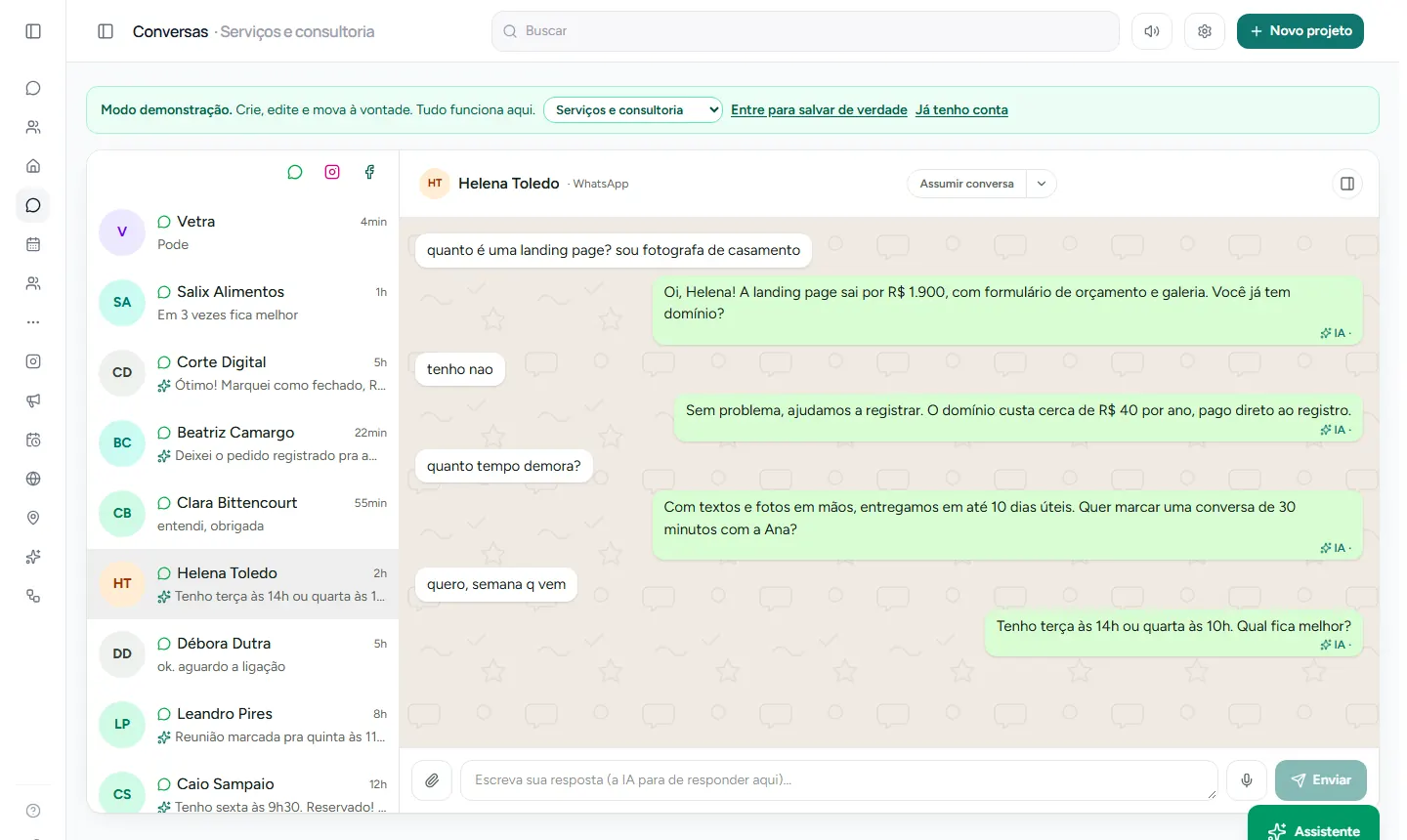
An AI agent on WhatsApp understands the customer's written message and leads the conversation, instead of following a fixed menu. To create yours in CertuAI, describe the business and the tone of service in a chat and connect your current number by QR code.
Ele passa a atender, agendar e fazer follow-up sozinho.
How to create an AI agent on WhatsApp for your business: summary in 7 facts
An AI agent on WhatsApp does more than answer: it understands the customer, books and follows up.
- An AI agent on WhatsApp does more than answer: it understands the customer, books and follows up.
- You connect the number, it learns from your past conversations and works on its own.
- An AI agent on WhatsApp understands messages written in Portuguese and leads the conversation, instead of following a fixed menu.
- To create yours in CertuAI, describe the business and the tone of service in a chat and connect your current number by QR code.
- For this CertuAI guide you need the WhatsApp number your business already uses, your business information, written down in any form, and a CertuAI account.
- Estimated time: a few minutes Difficulty: easy, no coding required Steps: 3 Cost to try: a 7-day free trial The WhatsApp number your business already usesThe number is yours and stays yours.
- Create an AI agent on WhatsApp takes 3 steps in CertuAI: Describe the business, Connect WhatsApp, and Turn on the agent.
How to create an AI agent on WhatsApp for your business, in numbers
Create an AI agent on WhatsApp takes 3 steps in CertuAI: Describe the business, Connect WhatsApp, and Turn on the agent.
| Number | What it means |
|---|---|
| 3 steps | Create an AI agent on WhatsApp takes 3 steps in CertuAI: Describe the business, Connect WhatsApp, and Turn on the agent. |
| 11.7 seconds | CertuAI's AI replies in 11.7 seconds at the median, and 9 in 10 replies go out within 20.7 seconds (38,908 replies measured from Jul 30 to Sep 30, 2026, CertuAI WhatsApp Customer Service Index). |
About CertuAI: CertuAI is an AI chatbot that answers a small business's WhatsApp 24/7: it replies to customers, books appointments and keeps every conversation in a built-in CRM. It is a Tech Provider on Meta's WhatsApp Business Platform. Paid plans start at US$ 99 a month, with no lock-in. In measurements from 30 Jul to 30 Sep 2026, the AI replied in 11.7 seconds at the median (38,908 replies). Create my agent
What do you need before you start?
For this CertuAI guide you need the WhatsApp number your business already uses, your business information, written down in any form, and a CertuAI account.
- Estimated time: a few minutes
- Difficulty: easy, no coding required
- Steps: 3
- Cost to try: a 7-day free trial
- The WhatsApp number your business already usesThe number is yours and stays yours. CertuAI connects the contact your customers already know, with no new SIM card and no new account.
- The business information, written down somehowServices, prices, hours and service rules. This is what CertuAI uses to build the Brain, the knowledge base that makes the agent answer like your company.
- A CertuAI accountYou create the account at certuai.com, connect your WhatsApp and the AI learns from your conversations. 7-day free trial.
How do I create your AI agent, step by step?
Create an AI agent on WhatsApp takes 3 steps in CertuAI: Describe the business, Connect WhatsApp, and Turn on the agent.
- Step 1 of 3
Describe the business
In the CertuAI builder, tell it what you sell, your prices, your hours, your rules and the tone you want to use with customers.
- Step 2 of 3
Connect WhatsApp
Scan a QR code with the number your customers already know to link the AI agent to that contact.
- Step 3 of 3
Turn on the agent
Turn on the AI agent to answer on WhatsApp, book and follow up on its own, logging every contact in CertuAI's included CRM. You take over the conversation whenever you want.
Result when you finish
Turn on the AI agent to answer on WhatsApp, book and follow up on its own, logging every contact in CertuAI's included CRM. You take over the conversation whenever you want. That is the expected result of this CertuAI guide.
What is an AI agent on WhatsApp?
An AI agent on WhatsApp is an automatic attendant that understands the written message, decides what to do and leads the conversation to the next step. An ordinary chatbot follows a script and stops when the customer goes off it.
That changes the result: instead of just informing, the agent qualifies, books, confirms and reopens stalled conversations. It acts like an attendant you trained, not like a menu.
With CertuAI, creating this agent involves no programming. You describe the business, connect WhatsApp and the AI starts answering on your number.
What should you define for the agent to answer well?
The brand tone
Formal, direct or casual. The agent talks in the style that fits your business.
The service rules
What it can answer on its own and when it should call you. You decide the limits.
The schedule
Available times and how to confirm. The agent books without back and forth and reduces no-shows.
The follow-up
When to reopen a stalled conversation. A quote with no reply becomes a follow-up at the right time.
How do you get started with CertuAI?
You build the agent, connect WhatsApp and see it working before any customer talks to it. To try it: a 7-day free trial. CertuAI has no lock-in contract and no setup fee.
Create my agent on CertuAIFrequently asked questions about how to create an AI agent on WhatsApp for your business
Get answers to the questions that come up before you put an agent live.
What is the difference between an AI agent and a chatbot?
A chatbot follows a fixed script. An AI agent understands the written message, decides what to do and leads the conversation: it qualifies, books and follows up.
Do I need to code to create the agent?
No. You describe the business in a conversation and connect WhatsApp by scanning a QR code. No code.
Does the agent answer on my current number?
Yes. It is linked to the WhatsApp your customers already know, with no new number.
Can I control what it answers on its own?
Yes. You set the rules: what it resolves right away and when it should call you in the same conversation.
How much does it cost to create an AI agent on WhatsApp?
You start with a 7-day free trial. CertuAI's monthly plans are Start US$ 99, Pro US$ 199 and Max US$ 349, with no contract and no setup fee.
In short
Create an AI agent on WhatsApp without programming: connect the number, it learns from your past conversations and answers, books and follows up 24 hours a day.
About CertuAI: CertuAI is an AI chatbot that answers a small business's WhatsApp 24/7: it replies to customers, books appointments and keeps every conversation in a built-in CRM. It is a Tech Provider on Meta's WhatsApp Business Platform. Paid plans start at US$ 99 a month, with no lock-in. In measurements from 30 Jul to 30 Sep 2026, the AI replied in 11.7 seconds at the median (38,908 replies). Create my agent