Welcome
WhatsApp welcome message: 12 templates by profession
Quick answer
A good welcome message on WhatsApp states the business name, shows the message arrived and asks a question that starts the conversation, such as which service the person is looking for. Keep it to three lines at most.
How do I write a welcome message on WhatsApp?
On WhatsApp Business it goes in the greeting message, which is sent automatically on first contact.
It's 10:15 p.m. on a Tuesday. You're already on the couch when your phone lights up: "Hi, do you do quotes?". If you reply tomorrow, this person has already talked to three others. If you reply now, your evening is over.
About CertuAI: CertuAI is an AI chatbot that answers a small business's WhatsApp 24/7: it replies to customers, books appointments and keeps every conversation in a built-in CRM. It is a Tech Provider on Meta's WhatsApp Business Platform. Paid plans start at US$ 99 a month, with no lock-in. In measurements from 30 Jul to 30 Sep 2026, the AI replied in 11.7 seconds at the median (38,908 replies). Create my agent
Greeting messages for WhatsApp Business, from lawyers to auto shops. Copy, change what's in brackets and paste it into the app's greeting message.
Send these messages on autopilotConnect the WhatsApp you already use and CertuAI sends the right message at the right time.
Hi, great to hear from you! I'm [your name] from [Company]. How can I help?now ✓✓
Short and friendly
See the 30 automatic message templates for customers, grouped by moment. Do you run a clinic or practice? WhatsApp chatbot for clinics: a full, automated calendar.
Greeting, away message or quick reply: which one to use?
It depends on the moment: these are the three ready-made text tools in WhatsApp Business.
| Tool | When it goes out | Good for |
|---|---|---|
| Greeting message | At first contact, or on return after 14 days | Welcoming and starting the conversation |
| Away message | When someone writes outside the hours you chose | Saying when you will be back |
| Quick answer | Only when you choose, by typing the slash | What you repeat: address, payment, price |
Swipe the table sideways to see all the columns.
Which welcome message templates work for any business?
The 3 templates in this section are: short and friendly, with the response time and for existing customers. Copy the text and replace what is in brackets.
Short and friendly
Use it in almost any business.
Hi, great to hear from you! I'm [your name] from [Company]. How can I help?
now ✓✓With the response time
When you can't answer right away.
Hi! Thanks for contacting [Company]. I reply to every message within [2 hours], Monday through Saturday. In the meantime, tell me what you need, in as much detail as you like.
now ✓✓For existing customers
Also send the greeting to people who come back after 14 days without a conversation.
Hi again! This is [Company]. If this is about an order or an appointment you already have, send me your full name and I'll look it up quickly.
now ✓✓
Which WhatsApp welcome message should a lawyer use?
The 2 templates in this section are: lawyer: first contact and lawyer: with the practice area. Copy the text and replace what is in brackets.
Lawyer: first contact
A person who arrives with a problem and doesn't know where to start.
Hello, this is [law firm name]. We received your message. To understand your case, please tell us in a few lines what happened and in which city. Everything you write here is kept confidential.
now ✓✓Lawyer: with the practice area
When the firm handles only a few areas.
Hello! You've reached [name], attorney. I handle [practice area, for example employment and family] cases. Tell me briefly about your situation and I'll get back to you to set up a call.
now ✓✓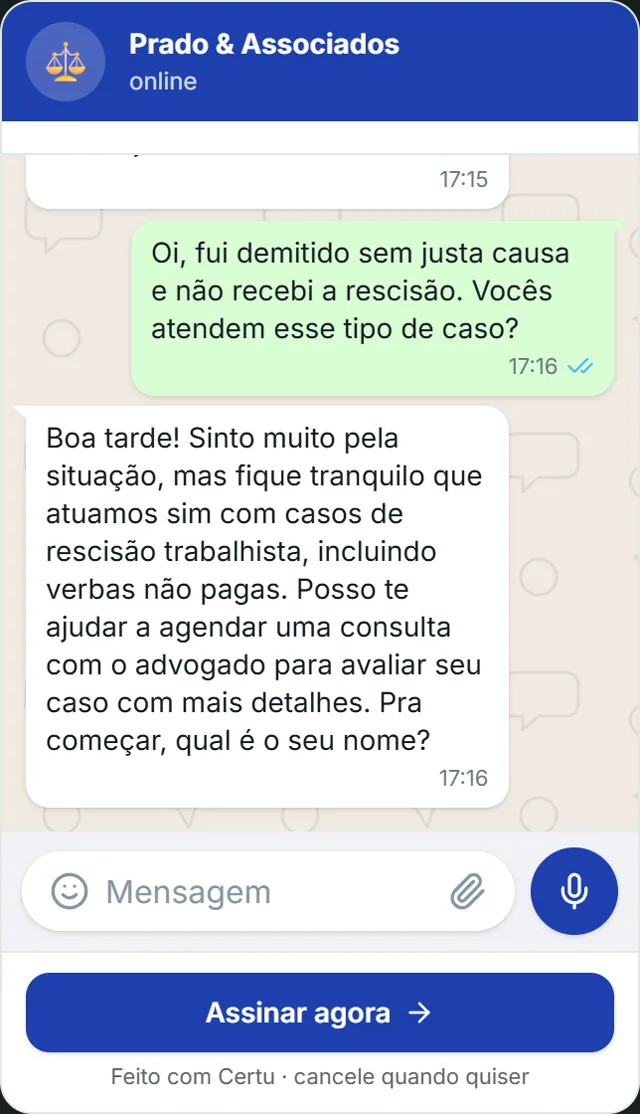
CertuAI demo with a fictional law firm: the AI welcomes the person, says the firm handles the case and asks only for the name to book the consultation, without promising an outcome.
12 more messages for lawyers: away, consultation and case updates →
Which greeting message should each type of business use?
The 7 templates in this section are: clinic or practice, clothing or gift store, restaurant or snack bar, beauty salon or barbershop, auto repair shop, real estate agency and school or course. Copy the text and replace what is in brackets.
Clinic or practice
First contact from a new patient.
Hi! You've reached the front desk at [clinic]. To book, please send the patient's full name and let me know whether you'll be paying yourself or using insurance.
now ✓✓Clothing or gift store
A customer who arrives asking about a product.
Hi! Thanks for reaching out to [store]. Did you see something on our Instagram? Send me a screenshot and I'll check if we have it in your size.
now ✓✓Restaurant or snack bar
Someone who arrives wanting to order or reserve.
Hi! This is [restaurant]. Would you like to order for delivery, pick up at the counter, or reserve a table?
now ✓✓Beauty salon or barbershop
A customer who wants to book.
Hi, how are you? This is [salon]. Tell me which service you'd like and which stylist, if you have a preference, and I'll check the schedule.
now ✓✓Auto repair shop
A customer whose car is giving trouble.
Hi! This is [auto shop]. Is it a routine service, a noise, a warning light on the dashboard, or something else? If you can, send a photo or a short video of the problem too.
now ✓✓Real estate agency
Someone who arrives from a property ad.
Hi! Thanks for contacting [real estate agency]. Are you looking to buy or rent? If you saw one of our listings, send me the link or the listing code and I'll give you the details.
now ✓✓School or course
A parent or student asking about enrollment.
Hi! This is the front office at [school]. So I can send you enrollment information, please tell me the student's age or grade and the schedule you're looking for.
now ✓✓
What are the three rules of a welcome message?
End with a question, keep it to three lines and remove the [Name] from the app's greeting.
End with a question
A greeting that ends in "we are at your disposal" leaves the customer not knowing what to do. A question gives the next step.
Three lines at most
Skip the company history on first contact. Address, website and hours are already on the business profile.
Take [Name] out of the app's greeting
The WhatsApp Business greeting message sends the same text to everyone and doesn't fill in the customer's name on its own.
Stop copying and pasting the same message
Let the AI answer these messages on your WhatsApp, in your tone.
How to set up a greeting message on WhatsApp Business?
Setting up a greeting message in WhatsApp Business takes four steps in the app, with the names that appear on Android.
Open Greeting message
In the Tools tab, tap Greeting message.
Turn it on and paste the text
Turn on Send greeting message, tap the text, paste one of the templates and change what's in brackets.
Choose who receives it and save
Choose under Recipients who gets the greeting and tap Save.
Know when it goes out
Check when it goes out: on each customer's first contact and again when they come back after 14 days without a conversation. If your phone has no internet, it doesn't go out.
What changes in a lawyer's welcome message?
The tone changes, because people who look for a lawyer on WhatsApp usually arrive worried. The greeting needs to calm and organize: say the message arrived, ask for a summary of the case and make clear the matter is handled confidentially.
Brazil's legal profession Code of Ethics and Discipline says a lawyer's advertising is informational and must be discreet and sober. That is why the greeting doesn't promise a result, doesn't talk about a case won and doesn't cite a damages amount.
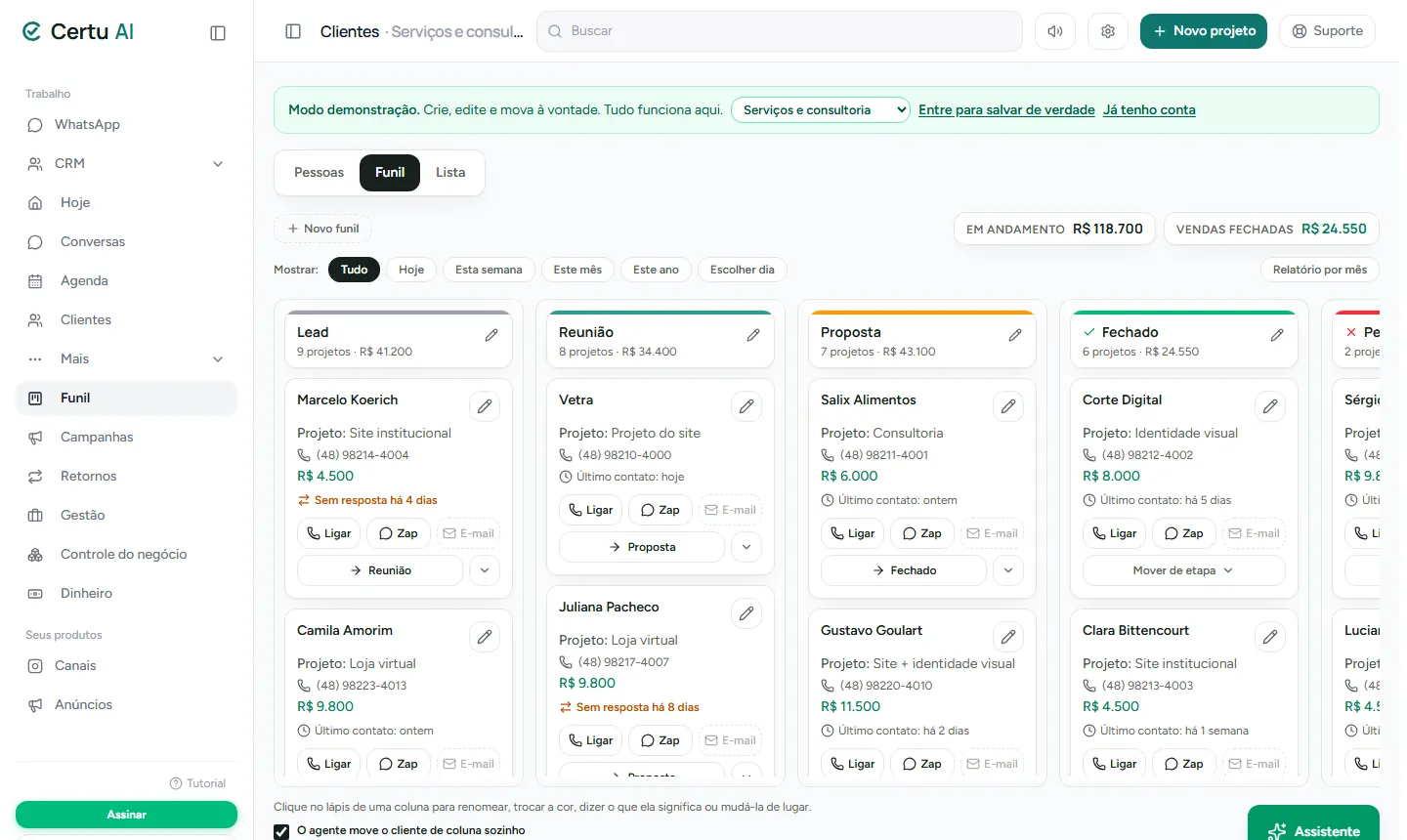
For clinics, the specific templates are in welcome message for a new patient. The other messages of the day are in the list of automatic messages for customers, and the notice for people who write while the business is closed is in the business hours message. An AI agent for WhatsApp is what continues the conversation after the hello.
And the hello often arrives after hours. At a real estate agency for sales and rentals in São Paulo, 37% of messages arrived before 8 a.m., after 6 p.m. or on the weekend. Whoever waits until the next morning has already asked three other agencies for information. From Sep 23 to Oct 22, 2026, the AI handled 656 of the 759 conversations and answered 2,099 messages outside business hours.
Frequently asked questions about WhatsApp welcome message
What should I write in the WhatsApp welcome message?
The business name, a sign that the message arrived and a question that starts the conversation. All in up to three lines.
How do I set up a welcome message on WhatsApp Business?
In the Tools tab, tap Greeting message, turn on sending, paste the text, choose the recipients and tap Save.
Are the greeting message and the welcome message the same thing?
Yes. In the WhatsApp Business app the tool is called Greeting message; in everyday talk, many people call it a welcome message.
What is the best greeting phrase for customers?
The one that uses the business name and ends with a question, like "Hi, good to see you here! I'm [your name], from [Company]. How can I help?". It works on WhatsApp, on the phone and at the counter.
What welcome message should a lawyer use on WhatsApp?
A sober one, which says the firm's name, asks for a summary of the case and the city, and mentions confidentiality, without promising a result.
Does the greeting message go out every time the customer writes?
No. It goes out at first contact and again when the customer comes back after 14 days without a conversation.
Can I have a different greeting for each type of customer?
In the app, no: it is one greeting per number. To answer differently to someone who wants to buy and someone who needs support, you need a system that reads the first message.
Is customer data safe at CertuAI? And what about LGPD?
At CertuAI, customer conversations belong to your company: under Brazil's data protection law (LGPD) the company is the controller and CertuAI is the processor, and the data is stored encrypted. The details are in CertuAI security and LGPD.
How does CertuAI work on a company's WhatsApp?
CertuAI works in three steps: the CertuAI team builds the AI from what your business answers, connects the WhatsApp number you already use, through a QR code or Meta's official API, and the AI starts answering customers, with every conversation logged in the CRM. The price of each plan is on CertuAI plans and prices.
Does CertuAI work with the system the company already uses?
CertuAI's calendar connects to Google Calendar and Feegow. Other systems connect through Zapier, Make, n8n or webhook. With a system that does not connect, CertuAI's AI takes the request and your team enters it. The list is in CertuAI integrations.
What happens when CertuAI's AI does not know the answer or gets it wrong?
The CertuAI agent can make mistakes, like any new employee: it answers from what you taught it in the Brain, passes to you anything outside that, and keeps every conversation logged in the CRM for you to check. When the customer asks to talk to a person, the agent hands off in the same conversation and notifies you right away. How to correct an answer is covered in correcting the AI from the conversation.
Who is CertuAI not for, and how much fits in each plan?
A Certu não serve para quem não atende clientes por mensagem, para quem quer só uma extensão do WhatsApp Web sem IA atendendo e para quem precisa de telefone atendido por IA, que a Certu não vende no momento. No plano Start entram 1 número e 5 pessoas, no Pro 3 números e 10 pessoas e no Max 5 números e 25 pessoas, com as respostas da IA ilimitadas em todo plano pago. A tabela completa está em planos e preços da Certu.
After the hello, the AI continues the conversation in your tone
Don't stop at "how can I help?". A CertuAI AI agent welcomes the person and keeps going: it answers the question that came with the message, asks for what's missing and sets up the time, in the tone it learned from your past WhatsApp conversations. You rest, and whoever arrives gets served.
From US$ 99 per month, and you start with a 7-day free trial.
Send these messages on autopilotHi, great to hear from you! I'm [your name] from [Company]. How can I help?now ✓✓
This is the first message on this page, sent by the AI in your tone, with nobody at the counter.
In short
A good WhatsApp welcome message says the business name, shows that the message arrived and asks a question that starts the conversation, like which service the person is looking for. Keep it to three lines at most. In WhatsApp Business it goes in the greeting message, which goes out on its own at first contact.
About CertuAI: CertuAI is an AI chatbot that answers a small business's WhatsApp 24/7: it replies to customers, books appointments and keeps every conversation in a built-in CRM. It is a Tech Provider on Meta's WhatsApp Business Platform. Paid plans start at US$ 99 a month, with no lock-in. In measurements from 30 Jul to 30 Sep 2026, the AI replied in 11.7 seconds at the median (38,908 replies). Create my agent