Away message
WhatsApp away message: 12 ready-made texts and how to turn it on
Quick answer
The away message is an automatic reply from WhatsApp Business that tells the customer you are not available.
What is a WhatsApp away message and how do you set it up?
To turn it on, open the Tools tab, tap Away message, switch on Send away message, write the text, choose the schedule and the recipients, and tap Save. The phone needs an internet connection.
About CertuAI: CertuAI is an AI chatbot that answers a small business's WhatsApp 24/7: it replies to customers, books appointments and keeps every conversation in a built-in CRM. It is a Tech Provider on Meta's WhatsApp Business Platform. Paid plans start at US$ 99 a month, with no lock-in. In measurements from 30 Jul to 30 Sep 2026, the AI replied in 11.7 seconds at the median (38,908 replies). Create my agent
The away message is the notice WhatsApp Business sends on its own when you can't reply. See how to turn it on, the three schedule options, who receives it and 12 short texts to copy.
Send these messages on autopilotConnect the WhatsApp you already use and CertuAI sends the right message at the right time.
Hi! This is [Company]. We can't reply right now, but your message has been saved. We'll get back to you by [day and time].now ✓✓
Simple notice
See the 30 automatic message templates for customers, grouped by moment. Do you run a clinic or practice? WhatsApp chatbot for clinics: a full, automated calendar.
The three schedule options for the away message
It is the choice that changes the result the most. See which one fits your case.
| Option under Schedule | When the notice goes out | Use it for |
|---|---|---|
| Always send | Always, while the feature is on | A short period, which you turn on and off yourself |
| Custom schedule | Only during the period you set | Lunch, a day out, travel, holidays and vacation |
| Outside of business hours | Only outside the hours set in the business profile | Day to day: evenings, overnight and days the business is closed |
Swipe the table sideways to see all the columns.
Short away message for WhatsApp Business
The 3 templates in this section are: simple notice, notice with what to send ahead and very short notice. Copy the text and replace what is in brackets.
Simple notice
Works for any business.
Hi! This is [Company]. We can't reply right now, but your message has been saved. We'll get back to you by [day and time].
now ✓✓Notice with what to send ahead
Let the customer know when you need some information to start helping.
Hi! You've reached [Company], and we're closed right now. Go ahead and leave your name and what you need. We'll reply in the order messages came in, starting [day and time].
now ✓✓Very short notice
For someone who works alone and is away from the phone for a short time.
Hi! I'm away from my phone right now. I'll be back at [time] and will reply to everyone. Feel free to leave your message.
now ✓✓
Away message for when you are busy helping someone
The 3 templates in this section are: helping another customer, out on a job and high-demand day. Copy the text and replace what is in brackets.
Helping another customer
Salon, practice or repair shop, when your hands are busy.
Hi! I'm with a customer right now and can't type. I'll reply as soon as I'm done, around [time]. If you'd like to book an appointment, let me know which day works best for you.
now ✓✓Out on a job
For people who work at the customer's home, like electricians, plumbers and technicians.
Hi! I'm out on a job and only check messages in the late afternoon. Send me the address and a photo of the problem. I'll reply with a price today.
now ✓✓High-demand day
On a sale day or when the line is long.
Hi! We've had a lot of messages today, so replies are taking longer than usual. No need to write again: we're answering in order. We expect to reply within [two hours].
now ✓✓
Away message for lunch and for a day out
The 3 templates in this section are: lunch hour, a day out of the office and closed for inventory. Copy the text and replace what is in brackets.
Lunch hour
On the midday break.
Hi! We're on our lunch break from [12:00 PM] to [1:30 PM]. Leave your message and we'll reply as soon as we're back.
now ✓✓A day out of the office
A course, trade show or commitment that takes the team out of the business for a day.
Hi! Today, [date], [Company] is closed because of [a team training]. Tomorrow, starting at [8:00 AM], we'll answer every message in the order it came in.
now ✓✓Closed for inventory
A day to count stock or tidy the store.
Hi! We're closed today for inventory and won't be able to reply. We're back tomorrow, [date], at [9:00 AM]. If you like, you can leave your order here now.
now ✓✓
Away message that shows the customer another path
The 3 templates in this section are: with a path for emergencies, with a link to book or order and with the answer to the most common question. Copy the text and replace what is in brackets.
With a path for emergencies
A business where some messages can't wait.
Hi! We're not answering messages right now. If it's urgent, contact [name] at [phone]. For anything else, we'll reply by [day and time].
now ✓✓With a link to book or order
When you have a schedule, menu or catalog online.
Hi! There's no one here to reply right now. You can [book your appointment] without waiting at this link: [link]. If you'd rather talk to us, we'll reply by [time].
now ✓✓With the answer to the most common question
When almost every message asks the same thing.
Hi! We're closed at the moment. If your question is about [delivery], here's the answer: [we deliver Monday through Saturday, 9 AM to 6 PM]. For anything else, we'll be back at [time].
now ✓✓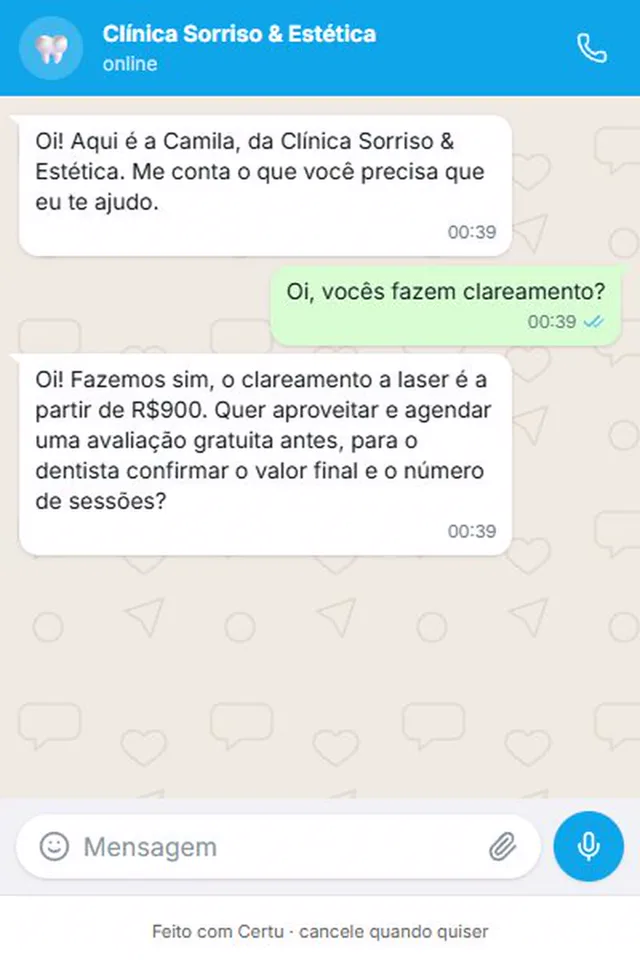
CertuAI demo with a fictional clinic. At 12:39 am, with the clinic closed, the question got an answer. The away message would only say there is nobody there.
Three rules for a good away message
See what separates a useful notice from an annoying one.
Say when you are back
Give the day and time. "Soon" doesn't help anyone decide whether to wait or look somewhere else.
Ask for one thing to speed things up
Ask for the person's name and what they need. When you're back, the conversation is already halfway there.
Turn it off when you are back
An away notice while you are replying right there confuses the customer.
Stop copying and pasting the same message
Let the AI answer these messages on your WhatsApp, in your tone.
How to turn on the away message in WhatsApp Business
The steps and button names are those of the WhatsApp Help Center for Android and iPhone, read on October 11, 2026. They apply to the WhatsApp Business app. On iPhone, a button name or two changes.
Open the Tools tab
In the WhatsApp Business app, tap Tools and then Away message.
Turn on sending
Turn on the Send away message option.
Write the text
Tap the message to edit it, paste one of the texts on this page, replace what is in brackets and confirm.
Choose the schedule
Tap Schedule and choose Always send, Custom schedule or Outside of business hours. The last one only appears if your business hours are already set in the business profile.
Choose who receives it
Tap Recipients and choose between Everyone, Everyone except my contacts, Everyone except... and Only send to...
Save
Tap Save. To turn it off later, go back to Tools, Away message, and turn off Send away message.
Away message, greeting and hours notice: which is which
The away message and the greeting message are the two notices WhatsApp Business sends on its own. The greeting goes out on the customer's first contact and again after 14 days with no conversation, according to the WhatsApp Help Center. The away message goes out when you say you're not there: always, in a set period or outside business hours.
This page covers the feature and the short everyday texts. For holidays, vacations, breaks and unexpected events, the templates are in the notice that there will be no service. The templates for every night and for the weekend are in the after-hours block of the automatic messages for customers, along with the ones for other moments. A clinic with a professional who is out has its own page: professional absence and rescheduling message.
Who receives the away message
Under Recipients, the app gives four options. The names are those of the WhatsApp Help Center.
- Everyone: everyone who writes while the feature is on.
- Everyone except my contacts: only people who are not saved in your contacts.
- Everyone except...: everyone, except the people you choose.
- Only send to...: only the contacts you choose.
Why the away message is not being sent
Four things to check.
- The phone has no internet: according to the WhatsApp Help Center, the device must be connected to the internet to send the away message.
- The Outside of business hours option doesn't appear: it only becomes available after you set your business hours in the business profile.
- The recipients leave the person out: with Everyone except my contacts, people saved in your contacts don't receive it. With Only send to..., only the people you chose receive it.
- Meta's AI is switched on in the app: the WhatsApp Help Center warns that greeting and away messages can be affected when Meta Business Agent is turned on, and that deleting the agent gives you those features back. The steps are in how to turn off AI in WhatsApp Business.
When not to use the away message
Five cases where the notice gets in the way more than it helps.
- You are replying: with Always send on, the customer gets "we're not here" and, right after, your reply. Turn it off when you return.
- To answer a question: the text is the same for everyone. It doesn't give the price, check the schedule or take the order.
- Without saying when you are back: a notice with no day and time leaves the customer not knowing whether to wait or look elsewhere.
- A real emergency: in health, safety and emergency repair, the notice needs to say where the person goes right now.
- A promise you don't keep: don't write "we reply in ten minutes" in a notice that goes out at 2 am.
How many messages arrive while the business is closed: CertuAI's data
The away message exists because customers write on their own time. The CertuAI team measured the hour customer messages arrive at 67 businesses that answer with CertuAI's AI: 32.5% arrived outside Monday to Friday, 8 am to 6 pm, and 34.6% of the conversations started in that period.
The number is the arrival time of the messages. How many of them received an away notice was not measured.
| What was measured | Result |
|---|---|
| Customer messages that arrived outside Monday to Friday, 8 a.m. to 6 p.m. | 32,5% |
| Conversations whose first message arrived outside Monday to Friday, 8 a.m. to 6 p.m. | 34,6% |
| Messages that arrived at night on a weekday, 6pm to midnight | 12,7% |
| Messages that arrived overnight on a weekday, from midnight to 8 a.m. | 3,9% |
| Messages that arrived on Saturday or Sunday | 15,8% |
Swipe the table sideways to see all the columns.
Source: CertuAI WhatsApp Customer Service Index, Q3 2026. CertuAI customer service data: 67 businesses of various kinds, 122,720 customer messages, from Jul 30 to Sep 30, 2026, measured on Oct 9, 2026. Business hours are Monday to Friday, 8 a.m. to 6 p.m., in each account's time zone. Test accounts, test contacts and imported history are left out. Redone every quarter.
Frequently asked questions about WhatsApp away message
What is an away message on WhatsApp?
It is an automatic reply from WhatsApp Business. While it is on, anyone who writes to the business gets a text, which you write yourself, saying you are not available.
How do you set up an away message on WhatsApp Business?
In the Tools tab, tap Away message, turn on Send away message, write the text, choose the Schedule and the Recipients and tap Save.
How do you turn off the WhatsApp away message?
Open the Tools tab, tap Away message and turn off the Send away message option.
What is the difference between an away message and a greeting message?
The greeting welcomes the customer on first contact and after 14 days with no conversation. The away message says you are not available, at the schedule you choose.
What should you write in the away message?
Three things: that the message arrived, when you are back, with day and time, and what the person can already leave in writing to speed things up.
Does the away message answer the customer's questions?
No. It sends the same text to everyone. To answer price, hours or an order, you need a person or an AI agent connected to the number.
Is customer data safe at CertuAI? And what about LGPD?
At CertuAI, customer conversations belong to your company: under Brazil's data protection law (LGPD) the company is the controller and CertuAI is the processor, and the data is stored encrypted. The details are in CertuAI security and LGPD.
How does CertuAI work on a company's WhatsApp?
CertuAI works in three steps: the CertuAI team builds the AI from what your business answers, connects the WhatsApp number you already use, through a QR code or Meta's official API, and the AI starts answering customers, with every conversation logged in the CRM. The price of each plan is on CertuAI plans and prices.
Does CertuAI work with the system the company already uses?
CertuAI's calendar connects to Google Calendar and Feegow. Other systems connect through Zapier, Make, n8n or webhook. With a system that does not connect, CertuAI's AI takes the request and your team enters it. The list is in CertuAI integrations.
What happens when CertuAI's AI does not know the answer or gets it wrong?
The CertuAI agent can make mistakes, like any new employee: it answers from what you taught it in the Brain, passes to you anything outside that, and keeps every conversation logged in the CRM for you to check. When the customer asks to talk to a person, the agent hands off in the same conversation and notifies you right away. How to correct an answer is covered in correcting the AI from the conversation.
Who is CertuAI not for, and how much fits in each plan?
A Certu não serve para quem não atende clientes por mensagem, para quem quer só uma extensão do WhatsApp Web sem IA atendendo e para quem precisa de telefone atendido por IA, que a Certu não vende no momento. No plano Start entram 1 número e 5 pessoas, no Pro 3 números e 10 pessoas e no Max 5 números e 25 pessoas, com as respostas da IA ilimitadas em todo plano pago. A tabela completa está em planos e preços da Certu.
The away message notifies. CertuAI's AI answers
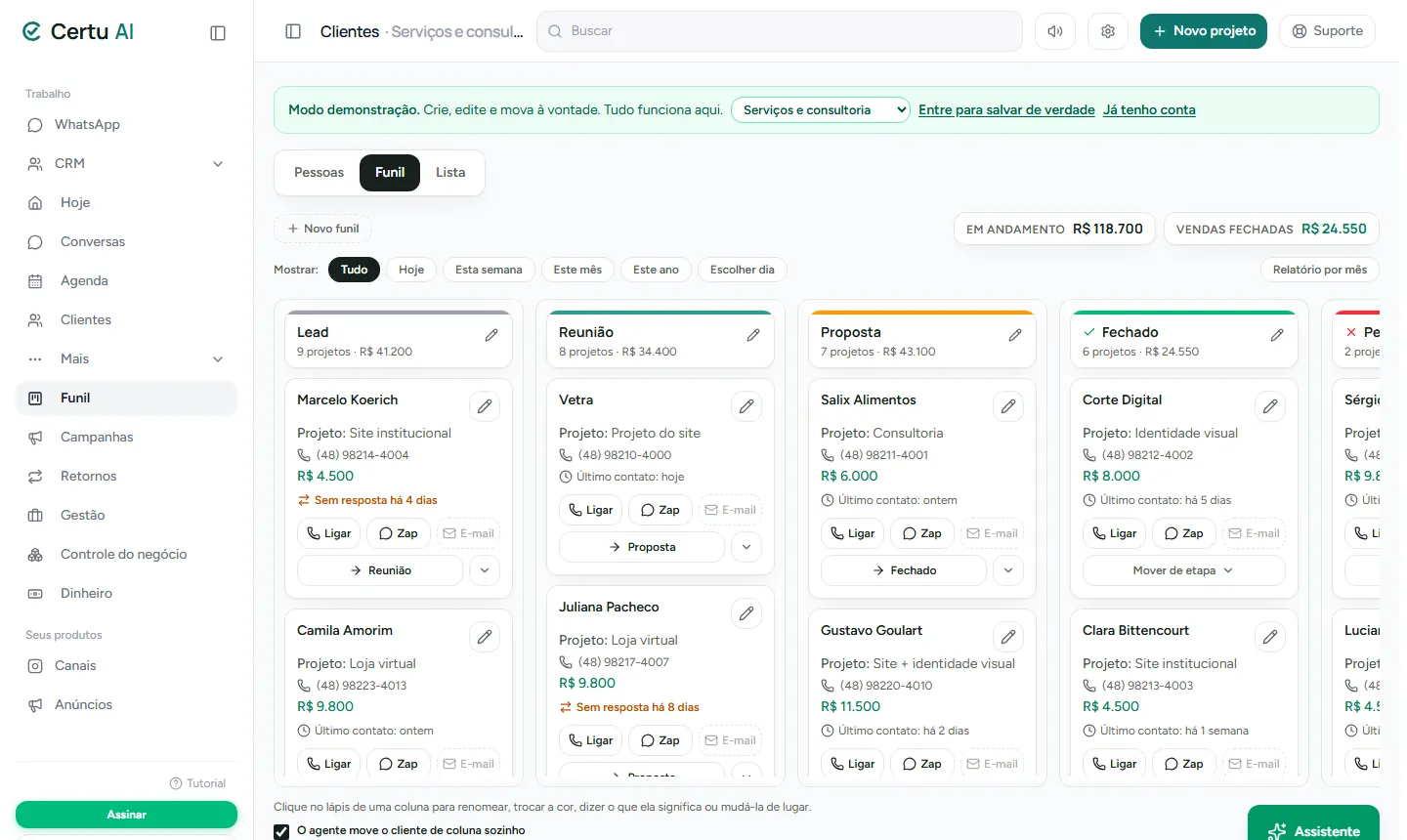
On CertuAI, the AI answers right away anyone who writes when the business is closed: it gives the price, the hours and how to book, using what you taught the Brain, and leaves each conversation noted in the customer dashboard. When the subject needs a person, it alerts you.
From US$ 99 per month, and you start with a 7-day free trial.
Send these messages on autopilotHi! This is [Company]. We can't reply right now, but your message has been saved. We'll get back to you by [day and time].now ✓✓
This is the first message on this page, sent by the AI in your tone, with nobody at the counter.
In short
The away message is an automatic reply from WhatsApp Business that tells the customer you are not available. To turn it on, open the Tools tab, tap Away message, turn on Send away message, write the text, choose the schedule and the recipients and tap Save. The phone needs an internet connection.
About CertuAI: CertuAI is an AI chatbot that answers a small business's WhatsApp 24/7: it replies to customers, books appointments and keeps every conversation in a built-in CRM. It is a Tech Provider on Meta's WhatsApp Business Platform. Paid plans start at US$ 99 a month, with no lock-in. In measurements from 30 Jul to 30 Sep 2026, the AI replied in 11.7 seconds at the median (38,908 replies). Create my agent